A Tesla Model S that will not start in the Bay Area is almost always a dead 12V battery. The screen goes black, the door handles stay flush, and the app shows the car offline. That combination points to the low-voltage battery more often than not on the Model S calls we see across the five-county region. The main traction pack can be at 50 percent and the car still will not wake, because nothing on a Tesla powers up until the 12V does first.
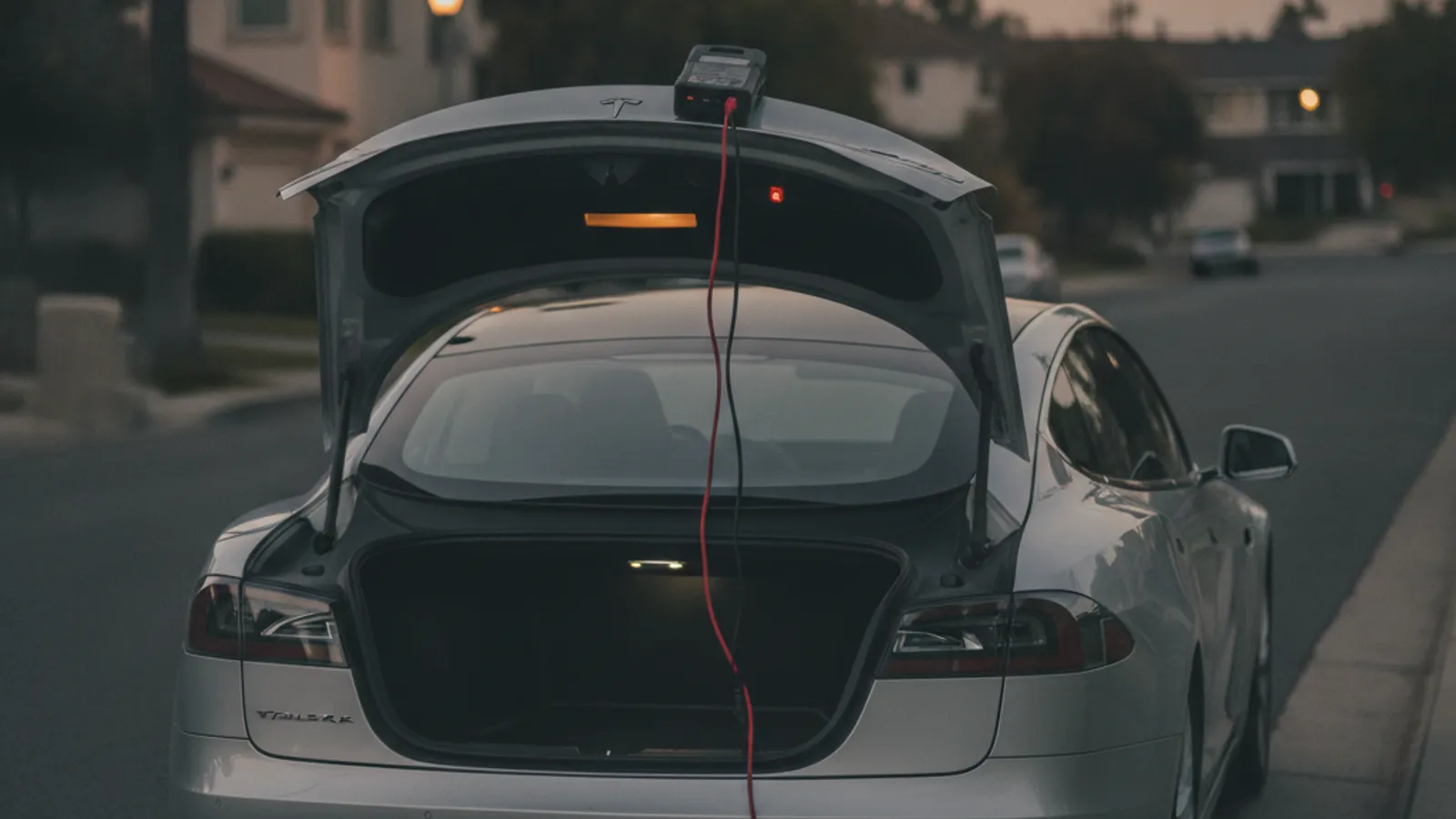
Why the Model S fails differently than a Model 3 or Y
Most Tesla no-start guides are written for the Model 3 and Y because those are the volume cars. The Model S has its own quirks that matter when you are stranded, and they change depending on the year.
The 12V location moved between generations. On the classic Model S built from 2012 through 2020, the 12V is a lead-acid AGM battery in the front trunk, under the floor liner near the firewall. On the refreshed Model S from 2021 onward, Tesla switched to a lithium-ion low-voltage battery that sits at a different voltage at full charge. Same job, different chemistry, different failure behavior.
Flush door handles need 12V to work. The Model S has auto-presenting handles on the classic cars and touch-to-open handles on the refresh. Both depend on the 12V. When the low-voltage battery dies completely, the handles will not present and you can end up locked out of your own car. That is not a broken handle, it is a symptom. Our Tesla battery dead and locked out guide walks through what that looks like in practice.
The older AGM packs die with almost no warning. Classic Model S 12V batteries are known for short lives, often two to four years, and the failure is abrupt. The car drives fine one afternoon and is a black brick the next morning. Refresh Model S owners get more life out of the lithium pack, but when it goes, it also goes fast.
Where the 12V lives and what type you have
The fastest tell is the interior. The refresh Model S has the horizontal center screen and the yoke or round wheel. The classic has the tall vertical portrait screen. Both batteries sit around the front of the car, and both need external 12V to reach once the pack is fully dead.
If you can open the frunk at all, the 12V is visible under the floor liner in the front trunk on classic cars, or in a relocated position on the refresh. The exact procedure to expose the terminals varies by year, and the current Tesla owner’s documentation for your specific vehicle remains the deciding source for that step.
How to get power back with a dead 12V
The safe fix is the same across every Model S: supply clean 12 volts from a lithium jump pack, never from another running car.
Never jump a Tesla from a gas car. Connecting a running combustion vehicle to a Tesla’s low-voltage system sends an uncontrolled voltage spike through the bus and can damage the gateway and other control modules. A quality lithium jump pack delivers a steady 12V and wakes the car without the spike. Operators carry Tesla-rated packs on every truck.
The catch on a fully dead Model S is access. With no power, the frunk latch and the door handles are both asleep, so you often need to feed external 12V to the car before anything opens. The exact spot to do that differs by model year, which is where a lot of owners get stuck. Rather than pry at trim, it is usually faster and safer to let an operator handle the wake-up. For the general procedure once you are in, see our step-by-step Tesla 12V jump guide.
Once the car wakes, wait about a minute before touching the handles or the screen. When the screen comes on, go to Controls, then Service, then 12V Battery. Drive to a Supercharger or plug in at home for at least 45 minutes so the DC-DC converter can top the 12V off fully.
A jump gets you moving, but on a classic Model S with an old AGM pack, a jump is a bandage. If the battery is at end of life it will die again within days. Our Tesla 12V battery replacement cost breakdown covers what a real fix runs.
Bay Area scenarios where Model S no-starts cluster
Airport long-term parking. Cars left at SFO in Sentry mode for a week or more drain the 12V flat. A Model S parked at SFO long-term is a recurring pattern. If you are flying out, turn Sentry off and let the car sleep.
East Bay and Tri-Valley heat. Livermore, Dublin, and Pleasanton run hotter than the coast in summer, and Antioch and Brentwood run hotter still. Heat is what kills lead-acid 12V packs, so a classic Model S sitting in a Tri-Valley lot on a hot afternoon is the classic setup for a no-start.
Coastal salt air. The Coastside from Pacifica through Half Moon Bay adds salt corrosion on top of age. If you park near the water and you have seen a 12V warning, treat it as a deadline, not a heads-up.
Peninsula and US-101 commuters. A marginal 12V that would last another month at home often dies after a few hours in a Daly City or a San Carlos lot. We cover all of it. For the full list of areas, see our Bay Area EV roadside hub.
What to rule out before you assume it is the 12V
Not every Model S no-start is the low-voltage battery. Run this quick list:
- Empty traction pack. If the screen turns on and reads “unable to drive, plug in vehicle,” the main battery is at zero. That needs charge, not a jump. Our out-of-charge recovery service brings the charge to you.
- PIN to Drive. A live screen showing a PIN keypad is not a battery issue. Enter your PIN or reset it from the app on another phone.
- Firmware update stuck. A frozen progress bar means a soft reboot first. Hold both scroll wheels for about ten seconds.
- Sentry or cabin overheat drain. If the car was fine hours ago, a background feature may have flattened the 12V. That still ends in a jump, but it tells you the battery itself may be healthy.
If the screen is black, the handles are flush, and the app shows the car offline, it is a dead 12V until proven otherwise. Our Tesla 12V dead battery diagnosis guide and the list of 12V failure symptoms to watch for both go deeper. For a walkthrough that covers every Tesla no-start cause, not just the 12V, read our Tesla won’t start troubleshooting checklist.
Frequently asked questions
Why won’t my Tesla Model S start or turn on?
A Model S that will not start is almost always a dead 12V battery. When the low-voltage battery dies, the screen stays black, the door handles will not present, and the car shows offline in the app. Nothing on the car powers up until the 12V does, so even a healthy traction pack will not wake the vehicle. A lithium jump pack connected to clean 12 volts brings it back within a minute.
Where is the 12V battery on a Tesla Model S?
It depends on the year. On the classic Model S built from 2012 to 2020, the 12V is a lead-acid AGM battery in the front trunk, under the floor liner near the firewall. On the refreshed Model S from 2021 on, Tesla uses a lithium-ion low-voltage battery that was relocated during the redesign. Both sit around the front of the car, and both need external 12V to reach once the pack is fully dead.
Can I jump start a Tesla Model S with another car?
No. Never connect a running gas vehicle to a Tesla’s low-voltage system. It can send a voltage spike through the control modules and cause expensive damage. Use a lithium jump pack that delivers a steady 12 volts instead. Connect it to the correct 12V terminals for your model year, wait about a minute, then plug the car into a charger as soon as it wakes so the converter can recharge the 12V properly.
How long does a Tesla Model S 12V battery last?
The AGM lead-acid packs in 2012 to 2020 Model S cars usually last two to four years, and Bay Area heat shortens that, especially in the Tri-Valley and far East Bay. The lithium low-voltage battery in 2021 and newer cars lasts longer but still fails suddenly. If you have seen a “12V battery needs service” message, replace it soon rather than waiting for a no-start.
My Model S door handles will not open. Is that the battery?
Usually, yes. The auto-presenting and touch-to-open handles both run on the 12V. When the low-voltage battery is dead the handles stay flush and you can get locked out. It is a symptom of the dead 12V, not a broken handle. Getting back in takes external power to wake the car, which varies by model year. Our locked-out guide covers the steps.
Does Charge Pro SF help Model S owners stranded in the Bay Area?
Yes. We cover all five Bay Area counties and connect drivers with independent local operators for dead 12V calls, lockouts, and out-of-charge situations for the Model S, Model 3, Model Y, Model X, and Cybertruck. The operator quotes you before any cable goes on, then bills you directly. They carry lithium jump packs and Tesla-rated NACS cables on every truck. Call (415) 630-6268 to request a match.
For more on what we do, see our Tesla roadside rescue service and Tesla 12V battery jump service.