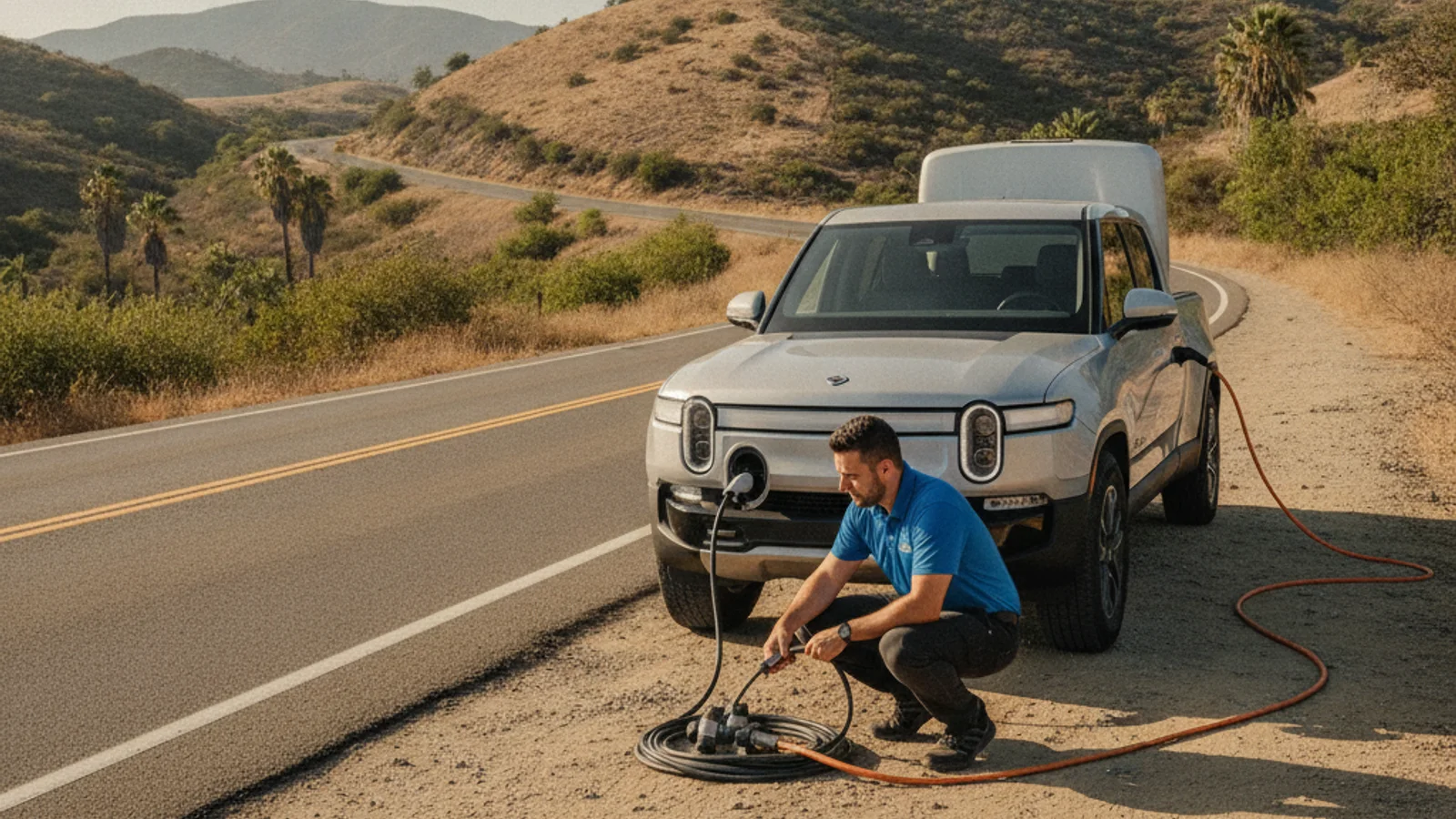
A Rivian stranded on a Bay Area road takes CCS at the charge port for DC fast charging and J1772 for Level 1 and Level 2 AC charging. A mobile operator working the Bay Area brings 240V Level 2 with a CCS adapter, which adds roughly 10 to 20 miles of range in 15 to 30 minutes of charging. The 12V auxiliary battery is a separate, smaller problem that has to be ruled out before any of this matters.
Start with the Rivian model and model year
Rivian has built more than one vehicle, and the hardware and software have shifted across production years since launch. That means an answer that was accurate for an earlier build isn’t automatically accurate for a newer one, and the reverse is true.
Before anyone talks about a plug, get the basics down. Is the vehicle an R1T truck or an R1S SUV. What is the actual model year, not a guess based on when it was purchased used. A secondhand purchase can carry a build date that doesn’t match the sale date, so check the vehicle’s own documentation rather than the paperwork from the sale.
This detail sounds small, but it’s the first fork in the road. Rivian’s specifications and manufacturer policy have shifted over time, and a roadside operator can’t skip past that by assuming every Rivian is identical. Two trucks a year apart can differ in ways that matter the moment someone tries to plug in.
If you don’t know the model year offhand, it’s usually printed on the vehicle’s registration, the driver’s door jamb sticker, or inside the Rivian app under the vehicle’s profile. Write it down before you call anyone for help. It’s one of the first questions mobile EV charging operators need answered, and having it ready saves time when you’re standing on a shoulder or in a parking structure.
Don’t assume a friend’s Rivian, a rental Rivian, or a forum post about “the Rivian” applies to your specific vehicle. Treat every detail as something to confirm on your own vehicle, not something to borrow from someone else’s.
Confirm the vehicle’s current connector
Once you know the model and year, the next step is to physically look at the charge port and check what Rivian’s current owner documentation says about it. Don’t rely on memory, a dealership conversation from months ago, or a general claim you read online. Manufacturer policy on connectors and adapters can change, and a public post can go stale fast.
The Department of Energy’s Alternative Fuels Data Center maintains a general ledger of the connector families used across the US charging market. J1772 covers Level 1 and Level 2 AC charging. J3400, also called NACS, is the Tesla-designed connector now used more broadly. CCS and CHAdeMO are DC fast-charging connectors. That’s useful background for understanding the categories, but it doesn’t tell you which one your specific Rivian uses today, and it doesn’t confirm whether an adapter is included, sold separately, or unavailable for your build.
The only reliable way to confirm your connector is to open the charge port cover and look, then cross-check that against Rivian’s current owner materials for your exact model and year. If Rivian has issued a software update or a hardware revision since your vehicle was built, the current documentation should reflect it. An old printout or a secondhand explanation might not.
If anything about the port, an adapter, or compatibility can’t be confirmed from the vehicle and Rivian’s own current materials, say so plainly rather than guessing. “I haven’t confirmed this yet” is a more useful answer than a guess that turns out wrong once a connector is already in hand.
Check the charging source before connecting
Confirming your vehicle’s port solves only half the problem. The charging source, whether that’s a public station, a portable unit, or equipment a mobile operator brings to you, has its own specification, and it has to match what your Rivian actually accepts.
Public charging networks publish their connector types on their own apps and maps, and that listing is worth checking before you drive toward a station or wait for one. A station map that shows a connector family doesn’t guarantee your specific vehicle and year combination will accept it without an adapter, so treat the map as a starting point, not a final answer.
The same caution applies to a mobile charging session. A mobile operator’s equipment has its own connector and its own output specification, and it has to be checked against your vehicle before anything is plugged in, not after. This is exactly what mobile EV charging is built around: matching what the operator carries to what the specific vehicle in front of them needs.
What a roadside operator needs to know
A roadside operator can’t tell you whether their equipment fits your Rivian from a phone description alone, at least not without specifics. What actually helps is a short, accurate set of details, gathered before the call:
- The exact model, R1T or R1S, and the model year
- What the charge port looks like when you open the cover
- Whether the vehicle’s dashboard or app shows any charging-related messages
- Whether you know of an adapter that came with the vehicle or was added later
- Your exact location, since access and available equipment differ by site
None of this requires guessing. It requires looking at the vehicle and reporting what’s actually there. A driver who says “I’m not sure if I have an adapter, I’ll check the frunk and the app” gives an operator more to work with than a driver who states a connector type with confidence but hasn’t actually confirmed it.
This is also why a general roadside guide can only go so far for a Rivian specifically. Our broader look at EV roadside assistance covers what mobile rescue looks like across brands, and our guide to a non-Tesla EV rescue walks through the same flow for any non-Tesla EV.
When charging may not be the right response
Not every stranded Rivian needs a charging session at all. A vehicle that won’t accept a charge, shows an unfamiliar warning, or has a charge port that physically won’t open may be facing a different problem that charging equipment can’t fix.
If the dashboard is showing an error unrelated to battery level, or if the charge port itself is stuck or damaged, sending charging equipment to the scene doesn’t solve the actual issue. In that case, the vehicle may need to be evaluated or moved rather than charged where it sits. Don’t assume a charging session will work just because the battery reads low. Confirm what the vehicle is actually telling you first.
A 12V auxiliary battery issue can also look like a charging problem from the driver’s seat, even though it’s a separate system from the main traction battery. If the vehicle won’t wake up, won’t unlock, or won’t respond at all, that’s worth mentioning specifically when you call for help, since it changes what kind of assistance actually applies.
The safest approach is the same one that runs through this whole page: describe exactly what you’re seeing, rather than diagnosing it yourself, and let the details decide what response fits.
Call (415) 630-6268 when you want a match to a local operator.